
A creative assistant becomes a different proposition when it can change a project rather than merely suggest an image. The value may lie in less repetitive work, but the exposure also changes: the assistant can misunderstand a comment, alter an approved element or prepare a version that looks finished before anyone has accepted it. YouArt Desktop brings that distinction into focus. For marketing teams, the useful question is not whether an agent can navigate an editor. It is whether the team can preserve a clear chain from feedback to authorized revision to approved delivery.
Two dates, one product announcement
YouArt’s release log lists its Desktop entry on November 14, 2026. The company-issued announcement was published November 13 at 13:00 ET. These are separate publication dates, not evidence of two launches. Official release log.
The announcement describes a Mac and PC app working with local projects and team feedback. Slack or Gmail feedback can become canvas comments attached to a shot or frame, with creators reviewing what to keep. It describes permission-based operation of Adobe After Effects, Premiere Pro, DaVinci Resolve, CapCut and Blender; Chat to Edit, version history and browser visibility with user takeover. It also describes bringing provider API keys and routing to the lowest-priced provider for a selected model. That is a vendor pricing claim, not an independently verified total-cost result. A desktop interface does not establish that processing is entirely local or that every operating-system permission is narrowly scoped. Company announcement.
The rest of this article is original practical analysis and a hypothetical evaluation design. It is not hands-on testing, a certification of the product, or a claim that every safeguard below exists in YouArt.
Make a bounded task the unit of delegation
“Improve this video” is a poor starting point for an agent that can operate software. It leaves the desired result, protected elements and acceptable changes undefined. A better hypothetical assignment identifies the specific revision, the source of the request and what must remain unchanged. The team should be able to tell whether the work succeeded without relying on the agent’s own summary.
For example, a product demonstration might need a clearer opening title while its verified feature explanation, approved footage and closing offer remain intact. The reviewer can specify the intended reading order and visual hierarchy without authorizing a new product claim. That distinction turns a broad creative ambition into a reviewable task. It also makes a partial result useful: an agent can prepare a proposed title while leaving the original sequence available for comparison.
Feedback needs an owner before it becomes an instruction
A comment arriving in a team channel is evidence of someone’s request, not automatic permission to change every connected file. Feedback may be exploratory, outdated or contradicted by another reviewer. A person may quote a client’s words while discussing alternatives rather than requesting implementation. Context matters before an agent treats a sentence as an executable edit.
A proposed review process should identify the requester, the relevant project version and who has authority to accept the change. Keep the original comment beside its interpreted task. If two requests are incompatible, present the difference for a decision instead of silently choosing the more recent or more forceful phrasing. The aim is not to make every small adjustment bureaucratic. It is to prevent a communication stream from becoming an uncontrolled instruction stream.
A precise anchor can still point to the wrong version
Attaching feedback to a frame is helpful only when everyone is looking at the same cut. An earlier export may have a different opening, different pacing or a removed shot. A comment that was precise when written can become ambiguous after the timeline changes. The workflow therefore needs version context as well as a visible marker.
In a hypothetical trial, record the reviewed version, the referenced moment and the intended change before applying it to a working copy. If a shot has moved or disappeared, ask the reviewer to confirm the new target. Do not transfer a comment to a visually similar element merely because it seems plausible. After the edit, show what changed and what remained untouched. This creates a meaningful review trail rather than a collection of markers whose original reference has been lost.
Separate preparation, application and acceptance
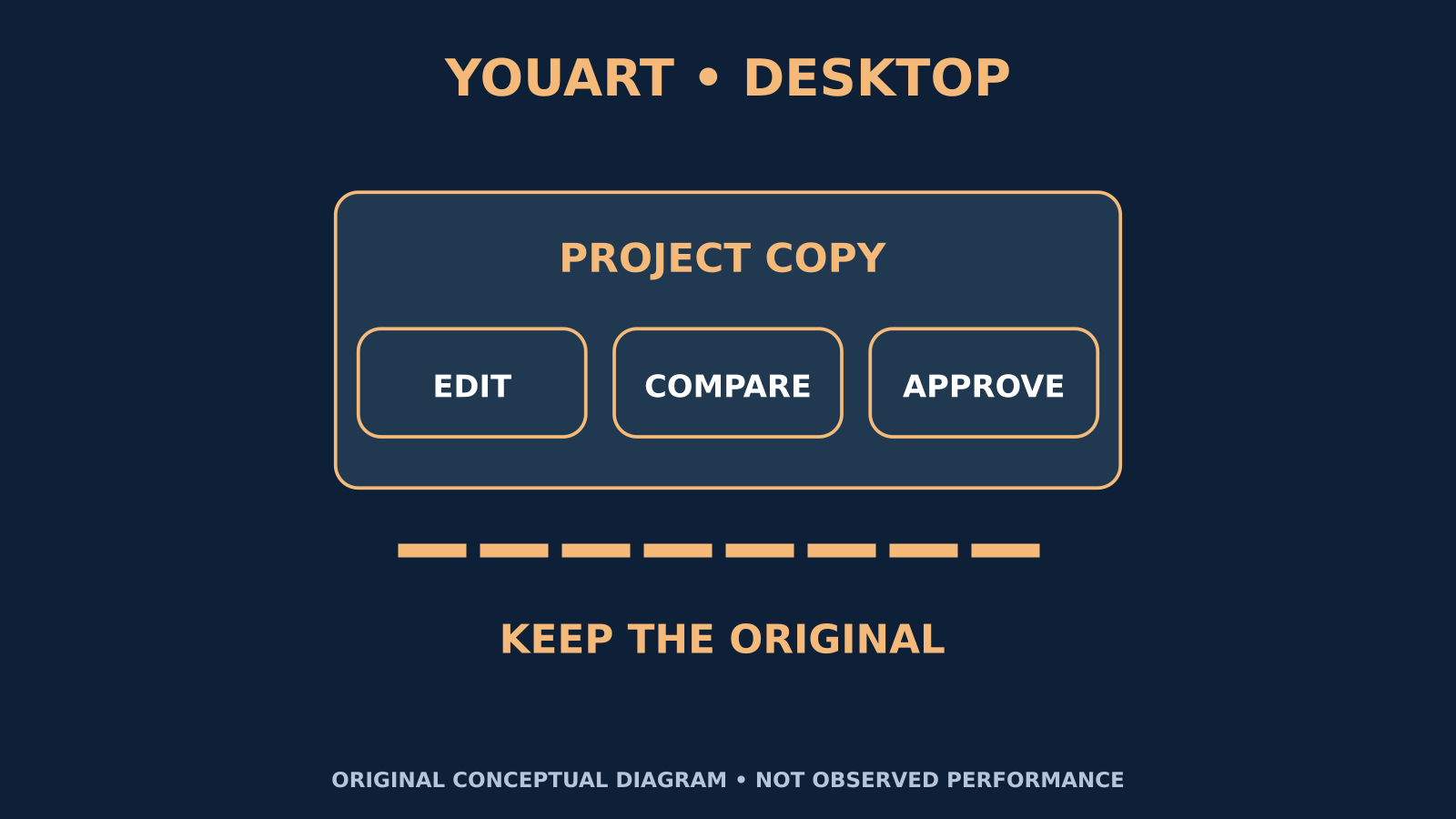
Original conceptual diagram: PROJECT COPY identifies the working copy; EDIT / COMPARE / APPROVE separates editing, comparison and approval, while KEEP THE ORIGINAL calls for preserving the source. This is an evaluation model, not a YouArt interface or measured result. Product context: [YouArt announcement](https://www.globenewswire.com/news-release/2026/11/13/3402903/0/en/youart-launches-youart-desktop-app-ai-creative-teammate-on-the-computer.html).
An agent can prepare an option without the team accepting it. Applying that option to a working project is another step; declaring it the approved version is another again. These distinctions help teams preserve useful experimentation without letting an attractive preview overwrite a decision already made.
A hypothetical workflow should visibly label proposals, working revisions and accepted deliverables. Identify the person who can move an item between those states. Batch review can reduce repetitive effort when the changes share a clear scope, but a batch should not conceal a new claim, an altered offer or an unexpected replacement of licensed footage. The review question is not just “does this look better?” It is also “is this the change we authorized, and are we ready to rely on it?”
Scope access around the job, not the whole workstation
A creative application may contain unrelated projects, client materials and saved connections. Giving an assistant a task does not make all those resources relevant. Before evaluating desktop operation, a team should understand which files, applications and accounts the task actually requires, and which should remain outside its reach.
For a hypothetical pilot, use an isolated project copy with approved assets and an explicit working folder. Examine requested permissions rather than assuming that a familiar application name means narrow access. Establish how a person can pause the work and what should happen if an unexpected dialog or unrelated file appears. These are questions to test, not assurances about YouArt’s implementation. The principle is to provide enough access for the assignment while avoiding the convenience of exposing an entire working environment unnecessarily.
Check the data journey behind the local interface
“Desktop” describes where a person interacts with software; it does not by itself explain where assets are processed. A workflow may involve model providers, remote generation, collaboration services or stored previews. A buyer should understand those destinations before using client materials, unreleased product information or identifiable people in a trial.
A proposed assessment should map which inputs leave the device, who receives them, what is retained and how deletion or access changes work. Use appropriate authorized material while these questions are being resolved. A local project file can still feed a remote operation, and a small preview may contain commercially sensitive information. Do not substitute a general privacy slogan for the specific route used by a chosen feature. This article makes no claim that YouArt is local-only, confidential by default or suitable for every client’s requirements.
Protect originals and test recovery before production work
Version history can support review, but a buyer should still establish what is actually recoverable. A project may depend on linked media, plugins, fonts or generated assets that are not all captured in the same place. Recovering a timeline does not necessarily restore every dependency or reverse an external action.
In a hypothetical test, preserve an independent copy of the source project and its necessary materials before allowing changes. Make a harmless revision, inspect the saved state and verify that the earlier usable version can be restored. Check for relinked files and unintended modifications outside the working copy. The purpose is not to demand perfect recovery from every possible event. It is to discover the real boundary before the team relies on a history panel during time-sensitive work.
Review meaning as carefully as appearance
A visually polished revision can still alter the substance of an advertisement. A shorter caption may omit a condition. A generated screen may depict a feature the product does not offer. A more persuasive voiceover may turn a cautious explanation into a promise. Reviewing only composition and pacing leaves those changes easy to miss.
A hypothetical acceptance checklist should separate factual accuracy, brand consistency, accessibility and technical quality. Confirm product details against approved source material rather than treating generated wording as evidence. Check readable text, captions, audio clarity and the intended viewing context. Where people or licensed material appear, verify the permitted use instead of assuming that inclusion in an existing project authorizes every new adaptation. A successful edit preserves the truth of the message as well as its presentation.
Evaluate the actual application environment
A named application does not describe a complete working setup. Teams may use different versions, custom workspaces, templates or plugins. A workflow that succeeds on a simple sample may encounter different menus, missing assets or render behavior in a real project. Those differences are practical evaluation questions, not reasons to assume failure or universal compatibility.
For a controlled trial, document the relevant application environment and choose a representative but noncritical task. Observe whether the assistant follows the intended path and whether a human can intervene without losing context. Repeat the task with a modest variation to see whether success depended on a narrow arrangement. Record failures in useful terms: the expected action, what occurred and the correction required. This produces evidence the team can use rather than a vague impression that the agent either “works” or “does not work.”
Compare total effort, not only generation price
A lower quoted model price is not automatically a lower completed-project cost. Retries, unusable outputs, review time, rendering, subscriptions and manual repairs may change the comparison. Different provider options may also have conditions that matter to a particular workflow. The right question is what the accepted deliverable costs under the requirements the team actually has.
A hypothetical cost record should separate provider charges from staff time and other project expenses. Keep the chosen model, relevant settings and acceptance criteria stable when making comparisons. Record unsuccessful attempts instead of counting only the final output. If bringing API credentials is part of an approved setup, keep them out of prompts, shared documents and project exports, and review provider limits. These are operational safeguards, not instructions to install anything or supply credentials for this article.
Treat export and publication as different commitments
An exported file can be ready for inspection without being ready for an audience. The export itself needs review: correct version, resolution, sound, captions, duration, naming and destination. A preview accepted inside an editor does not guarantee that the delivered file contains the same expected elements or uses the intended settings.
In a hypothetical delivery process, a named owner reviews the exported artifact and records acceptance. Sending it to a client, uploading it to a shared channel, scheduling it or activating it as an advertisement should remain separate authorized actions. Do not infer publication permission from a request to finish editing. This boundary protects teams from confusing production completeness with distribution approval, while making the final handoff clearer: everyone knows which file was approved, for what use, and what action is still pending.
Run a trial that can produce an honest no
A useful evaluation should be able to conclude that the workflow is not yet a fit. Choose a limited task, preserve a baseline and record both the assistance gained and the supervision required. Compare completed, accepted work rather than the speed of an initial demonstration. Define what would justify continued testing and what would stop the trial.
Possible stopping conditions include unexplained changes, unclear data destinations, repeated misreading of feedback, inability to recover the working version or actions outside the agreed scope. A favorable result might be less repetitive editing with equally clear review and a dependable final handoff. These are hypothetical criteria, not reported YouArt outcomes. The announcement matters because it moves the discussion from generating assets to operating creative workflows. The buyer’s standard should move with it: useful assistance, explicit authority and verifiable completion, not autonomy for its own sake.
Sources and boundaries
The official log is dated November 14, 2026; the issuer announcement is dated November 13, 2026. Vendor descriptions above are distinguished from original analysis. No software was installed or tested for this article, and no performance, compatibility or privacy guarantee is asserted. Release log · Company-issued announcement.
Comments
No published comments yet.