
What Snap announced
On November 18, 2026, Snap introduced Easy Lens CLI, free with a Snapchat account. Snap lists over 100 AR building blocks, over 50 asset generators, phone testing and publication subject to review. Its one-day game example is not a delivery promise.
The interesting decision for a retail team is not whether it can make something move on a screen. It is whether a Lens can resolve a real question on the way to a store or a product page. The rest of this article is an independent planning proposal. It does not describe a Snap requirement, a live campaign, or a result anyone should expect from the tool.
Start with one question and one useful action
Imagine a homeware shop offering several styles of desk lamp. Some customers want to see whether a lamp with a wide shade looks out of proportion on a compact desk. A Lens might give them a quick visual comparison before they navigate to the dimensions. The brief should say what buyers can learn and what the experience cannot establish. It should not say that a rough overlay proves the lamp will fit, that the scale is exact on every device, or that a pictured model is available locally.
Start from a customer question already visible in public materials or aggregated support queries, not from a collection of camera behavior. State an action that would be useful even if nobody shares the Lens: for example, opening the correct dimensions guide. Then write a rule for when a conventional product page is sufficient. If one clearly labeled line drawing answers the question, shop staff should not have to maintain an additional experience just to show they used AR. Start with the version that can be kept accurate.
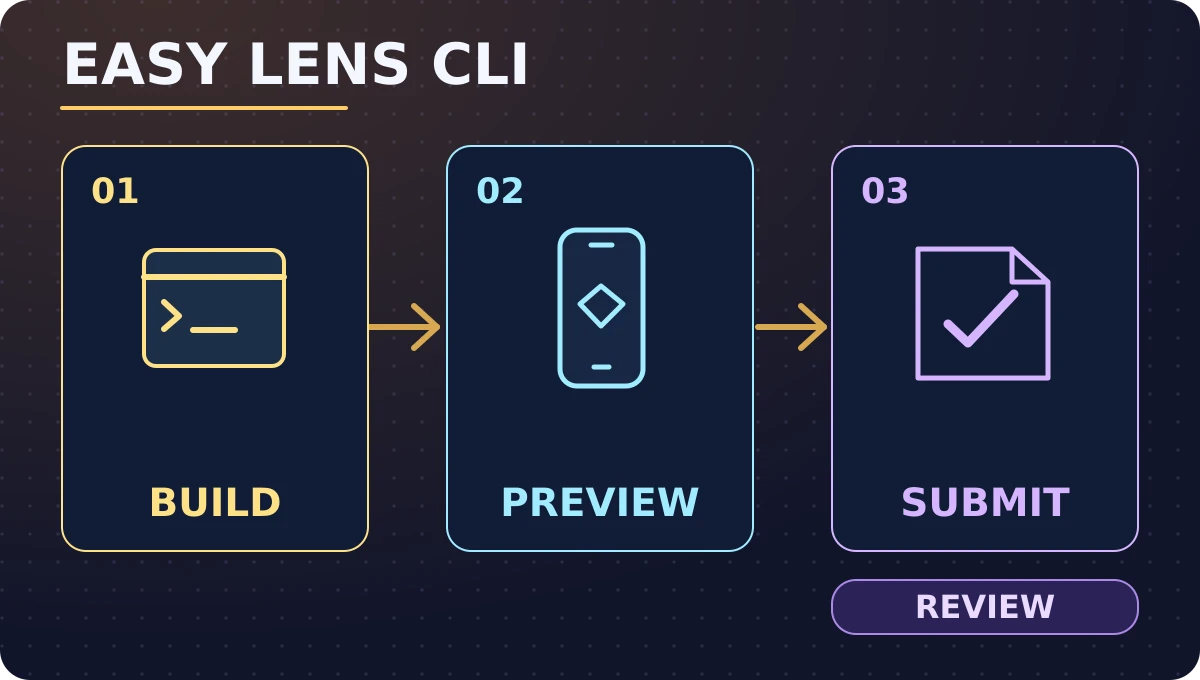
Original illustration created for Karim Elganainy’s website, based on Snap’s announcement. It shows the workflow, not the actual software interface.
Freeze a small brief before production
Identify the product and version whose shape and measurements the model represents. Specify the intended environment, what the user sees first, how they choose a style and how they find the guide. Write down how the team will identify a mismatch. A shade partly obscured by a phone control may be an annoyance; a model rendered in a misleading size changes the usefulness of the experiment. Agree before the build which failure stops publication and who can make that call without waiting for a campaign meeting.
Put the correct reference material in a small package with the approved source date and an owner. Remove customer screenshots, private correspondence, internal identifiers and unrelated files. Keep a simple inventory of assets and permissions. If an output uses an image whose origin cannot be confirmed, replace it with a permitted illustration rather than approving it by resemblance. A generated product shape should still be checked against the approved reference. Separate fast iteration from permission to publish: the person who suggests a variation need not have permission to send it to a live audience.
Test the published experience, not the nicest preview
Use separate checks for the first run, a run by somebody who has never seen the brief and a return after a user changes their choice. See whether the opening explains what to do before it asks for effort. Keep the path short enough to understand without a staff member standing beside the phone. Verify that choosing another style updates the dimensions guide as well as the visual. A Lens showing one item while sending people to a different item's guide can produce clicks and still fail the customer.
Test a representative device mix under the conditions people are likely to encounter. Review readable text, touch targets, stability, interruptions and whether the intended action still works when AR cannot be used. A simple product guide should be available without requiring a camera or a social account. Write down where a control appears, what the customer sees when it fails and which fallback was actually checked. Do not turn a good preview on a developer's phone into a statement about every phone, lighting condition or connection.
Give the team a release and rollback plan
A ready asset is not the same as an approved release. Agree who can submit the identifier, text, labels and destinations for review, who verifies the live version and who decides whether to pause promotion if something is wrong. Make a short handover record that says which version was intended, where it was tested, what changed and which destination has current information. Keep preview assets out of customer-facing material until the team verifies the intended release. Allow time for the platform's review and for fixes; a supplier case is not a launch date.
Plan a fallback that does not depend on the faulty experience continuing to load. If an item is discontinued during the pilot, the team might stop additional distribution and point visitors to a current guide. It should not silently send people who select one model to a more expensive one. Notify the person managing product information and record what happened to already published placements. Once the team fixes the route, have somebody independently check the visible result. The success status of an internal upload is not evidence that an actual visitor sees the right version.
Make the pilot fair to the non-AR option
In a hypothetical comparison, direct one eligible group to a clear interactive product guide without AR, and another to a path offering the Lens and the same guide. Keep the actual offer, destination facts and time window comparable. Give people in both groups a useful route without forcing a camera choice. If the design can support random assignment, agree on the assignment unit and document whether someone might encounter both paths later. If a public link spreads beyond the assigned group, report that limitation instead of treating tracker labels as clean separation.
Measure outcomes by assigned group when testing the policy of offering AR. Looking only at people who accepted the camera route answers a narrower question and may select people who were more curious to begin with. Inspect both the journey with Lens and the fallback journey, particularly on devices or connections that make the experience harder to use. If the groups received different promotion, inventory or staff support, describe the difference. A small pilot can still establish whether the handoff works without proving that AR changed demand.
Read the numbers through the customer journey
Draft a measurement record before showing the experience. Eligible sessions are the denominator for a business comparison; starts, meaningful interactions and guide arrivals explain where the journey changes. Define a meaningful interaction as something specific, such as completing a style comparison, rather than assuming that opening the camera indicates engagement. Record events consistently and separately from business outcomes so a person moving between pages is not counted as two guide visits solely because both tools recorded a transition.
For illustration, with 400 eligible sessions per group, suppose the ordinary guide receives 80 verified arrivals while the Lens path receives 92. Those are 20% and 23%, a difference of 3 percentage points. This hypothetical result says nothing by itself about purchases or profit. If 16 arrivals in the Lens path were duplicated while none in the standard path were duplicated, the corrected figure would be 76, or 19%; even the direction changes. Fix the definition before explaining the difference. Time to complete the task, unanswered questions, effort accommodating unsupported devices and support incidents belong alongside any headline rate.
Protect customers and evaluate the full cost
Ask which information is actually needed to answer the business question. An aggregate count of eligible sessions and verified guide arrivals does not need copies of camera footage, private messages or an identity dossier. Keep rights and review records separate from audience analytics. Check who can inspect a technical record, what the team does when a person declines access and how long information is needed. Make the experience useful without requesting extra permissions merely to improve reporting. If a vendor requires a data flow the team cannot explain or control, use another route or stop the pilot.
Count costs beyond draft production. Someone has to maintain the product facts, test representative devices, review permissions, revise creative and answer support questions. Track the time and charges relevant to the decision without pretending that every item scales at the same rate. A creative asset can be cheap to generate and expensive to keep correct when the catalog changes. Record both work saved and work shifted to another team. When the question concerns profitability, the business still needs useful margin information and a defensible comparison, not the sum of an engagement dashboard.
Decide what earns the next test
Ask the owner to show the customer task, the actual experience and the strongest evidence for continuing. Review whether a generic product guide already meets the need. Keep the pilot if it produces a useful, verifiable path without harming access or clarity. Revise it if the offer is valuable but a specific handoff is broken. Stop if no benefit justifies the additional cost or if permissions, presentation or customer safeguards cannot be maintained. The decision may differ for another category even when the same tool is available.
Document what would change your mind. For example, a repaired guide link should be confirmed on a phone before a wider test, while a business impact claim should wait for a credible comparison. Share the evidence gap rather than implying a rollout is inevitable. Faster production is welcome when it helps teams reach a real answer earlier. It does not replace the work of asking the right question, protecting the customer and judging what the result is actually worth.
Comments
No published comments yet.