The most useful question about an AI-assisted creative workflow is not how many images it can produce. It is whether another person can understand, revise and safely approve the resulting work. Adobe’s preview of local integrations for creative agents makes that question especially relevant: a marketing team may receive an editable project rather than only a finished export, but editability still needs to be tested against the actual handoff requirements.
This article focuses on native-file control, revision and approval. It is not a review of Adobe’s separate enterprise campaign orchestration or Disney partnership announcements. The verified product news appears first; the workflow, pilot and measurement suggestions that follow are original proposals, not evidence of benefits already achieved by the announced tools.
What Adobe announced and what remains a preview
In its November 10, 2026 announcement, Adobe described local MCP integrations for Photoshop, Illustrator, Premiere and After Effects as a preview. The company says these integrations allow creative professionals to direct preferred third-party agents to change local project files while keeping layers, sequences and compositions editable. MCP is the connection mechanism between an agent and tools; the practical issue for a team is which changes the connection permits and how those changes are reviewed.
The same announcement identifies expanded AI Assistants in Illustrator, Premiere, InDesign, After Effects and Frame.io as beta. Preview and beta are not promises of universal production availability. Confirm the specific account, application version, supported operation and access conditions before planning a live delivery around them. The announcement does not establish the savings, reliability or revision quality that a particular marketing team will experience.
Define an editable deliverable before testing the agent
An attractive export can conceal a difficult source file. Define what the receiving designer or editor must be able to change: text, logo placement, image treatment, timing, subtitles or a component’s position. Some changes may need independent control while others may legitimately remain linked. Write these requirements in the brief rather than discovering at handoff that a visually correct result is unusable for the next market or format.
Assess editability with actual tasks, not only the presence of layers in an application panel. Can a colleague replace the approved headline without rebuilding the layout? Can an editor adjust one sequence without disturbing another? Can the file be reopened with the expected fonts, linked media and structure? These questions turn “editable” from a reassuring label into an observable property of the deliverable. They do not assume any particular failure in Adobe’s preview.
Establish a protected starting point
For a pilot, begin from an approved copy of the source project and preserve the original as a reference. Record which assets, claims and brand elements may change and which must remain intact. Separate an exploratory workspace from files already approved for publication. The exact technical arrangement will depend on the team’s systems, but the operational principle is simple: a failed experiment should not remove the last reliable version of a live campaign asset.
Define the scope given to the agent narrowly enough to inspect. “Prepare this campaign” leaves far more room for ambiguity than a bounded task with specified inputs and an expected output. Include constraints such as preserving a product label, retaining the approved offer wording or leaving timing outside a selected segment unchanged. Do not infer that an agent has followed a constraint merely because the first preview looks convincing.
Review access separately from creative capability
A tool that changes files needs access, and access decisions deserve their own review. Identify which project folders, applications and external services are involved. Use only approved assets and appropriate permissions. A local integration does not by itself establish that every piece of information stays on the device: the behaviour of the chosen agent, connected services and configuration must be checked independently.
Avoid putting customer records, confidential launch information or sensitive personal material into a pilot simply because they are available in an existing project. Begin with material cleared for the intended test. Document who may authorize wider access and where credentials are managed; do not place secrets in creative instructions. This is a proposed governance approach, not a claim about Adobe’s security design or an assertion that all third-party agents handle data in the same way.
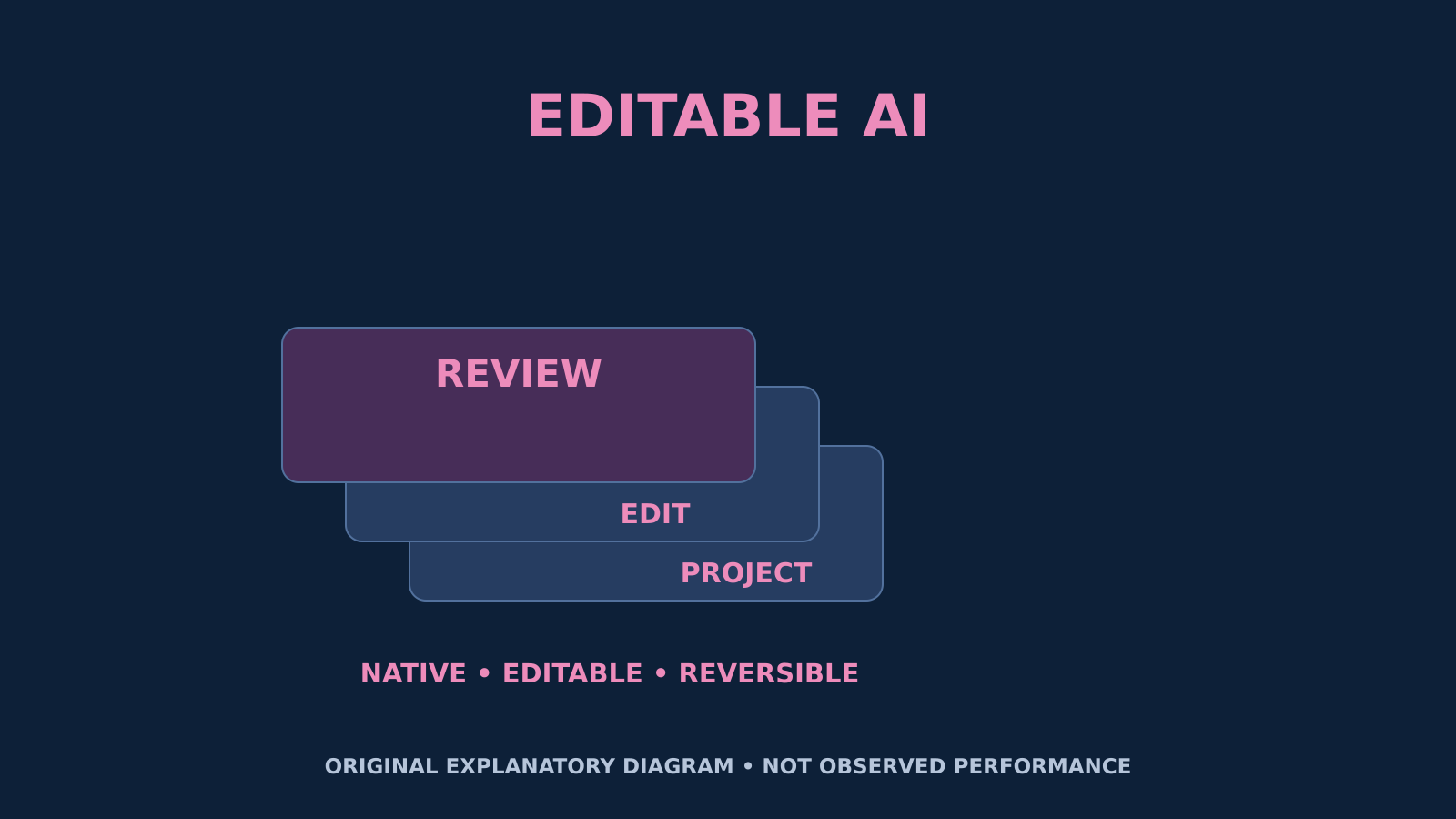
Original explanatory illustration: layered cards labelled PROJECT, EDIT and REVIEW, with NATIVE • EDITABLE • REVERSIBLE. This is a conceptual workflow graphic, not an Adobe interface screenshot or a demonstrated performance result. Product status: Adobe announcement.
Inspect the native project and the rendered output
Review both the editable project and the export because they answer different questions. The export reveals visible problems in composition, text, timing or sound. The source review reveals whether the next person can locate components, understand changes and continue the work. A polished video may still be costly to revise; a well-organized timeline may still export with a visual or audio error. Neither check substitutes for the other.
Create a short acceptance checklist tailored to the asset. Include correct claims, required branding, readable typography, intended dimensions and successful reopening, alongside the specific editability tasks from the brief. Where there are linked assets, confirm that the handoff contains the necessary approved dependencies. Review the actual delivered file rather than a screenshot supplied as proof. Passing this checklist supports acceptance of that deliverable, not a universal claim about the tool.
Test a second revision, not just the first generation
A realistic trial should include an ordinary change request after the first result. Ask for a bounded revision such as a headline replacement, timing adjustment or updated approved visual. Observe whether the change stays within scope and whether previously accepted elements remain intact. Record manual repairs and inspection effort. A workflow that creates a striking first draft but requires extensive reconstruction for routine changes may not solve the production problem the team actually has.
Also practise returning to a known version. Verify that the earlier file opens and that the team can identify which revision was approved. Do not assume that an undo button alone provides the complete history needed for collaboration. Version naming, change notes and responsibility for the final export should fit the team’s process. The objective is recoverable work, not an elaborate documentation exercise that consumes more effort than the pilot teaches.
A hypothetical multilingual launch pilot
Imagine a small marketing team adapting an approved product introduction into a static social visual and a short video. The task uses non-confidential material with confirmed usage rights. The agent is asked to help with a clearly bounded adaptation, while a designer retains responsibility for composition and a reviewer checks wording. This is a hypothetical example, not a statement that any particular preview supports all of those operations or has already passed such a test.
Prepare matched briefs for the current workflow and the assisted workflow. Use comparable complexity and define what counts as finished before either begins. Include a later revision and a handoff to a colleague who did not create the file. For a translated version, use approved localized text and check layout, reading order and subtitles where relevant. An editable English project does not establish the quality of another language’s adaptation or replace linguistic review.
Measure approved throughput rather than raw output
Record active production time, review time, repair time and the time required for the planned revision. Count deliverables that meet the agreed acceptance criteria rather than every generated option. Keep the number of attempts and rejected versions visible. If an assisted process produces more drafts but requires longer inspection, the result may still be useful for exploration, yet it should not be described as a proven improvement in finished-production efficiency.
Use the same cost boundary for both workflows, including the human work that is easy to overlook. Distinguish subscription or usage charges from staff time and from the cost of correcting an error after release. A small pilot may reveal practical bottlenecks without supporting a precise company-wide return estimate. Report what was observed in the selected tasks, and avoid extrapolating a successful simple adaptation to complex campaigns that were never tested.
Keep creative approval separate from publishing authority
An agent’s ability to prepare or alter a project should not silently become permission to release it. Define who approves the claims, brand treatment, rights and final channel-specific output. Keep a clear boundary between an experimental draft and an asset cleared for distribution. If publication is later automated, treat that as a separate authorized workflow with its own controls, not an inevitable consequence of connecting a creative application.
The human review should be substantive rather than ceremonial. Give reviewers the brief, relevant source material and an understandable change summary. A rapid “looks fine” check may miss an altered price, removed caveat or changed product detail. Choose the depth of review according to the consequence of an error. A decorative internal mock-up and a public regulated-service campaign should not inherit the same acceptance standard simply because both are produced in the same software.
Decide where assistance belongs
At the end of the pilot, classify tasks by what the evidence supports. Some may be suitable for assisted production with normal review, others for exploration only, and some may remain better handled manually. Record failure conditions as well as successful examples. A decision not to automate a fragile step is a useful outcome if it prevents later rework or confusion. Do not turn adoption of a new interface into the objective itself.
Revisit the decision when product status, supported operations or team requirements materially change. Preview behaviour and access can evolve, so a pilot is a dated observation rather than a permanent certification. The strategic opportunity is not simply producing more versions. It is creating work that remains understandable, revisable and governed throughout its lifecycle. Native editability is promising because it can support that goal, but the team still needs to verify the handoff and approve the result.
Source and editorial scope
The product facts and preview/beta labels come from Adobe’s November 10, 2026 release. Its general claims about productivity are company statements, not independent results presented here. The workflow, diagram and launch example are original analysis. No hands-on test, client outcome or personal production experience is claimed, and this article does not assert availability, pricing or contractual permissions beyond the reviewed announcement.
Comments
No published comments yet.